


Hello Kitty: Good Night
4.8276.00 Reviews
App Specs
- Version
- 1.4.6
- Updated On
- License
- Free
- Downloads
- 5,000,000+
- Developer
- Hippo Kids Games
- Categories
- Educational
- Platform
- Android
Screenshots

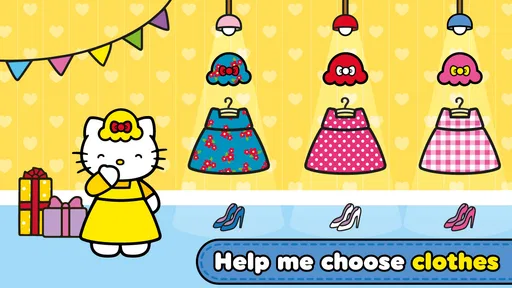

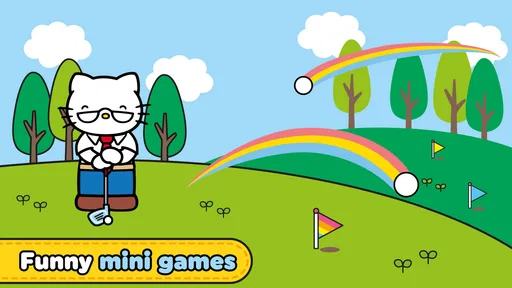
 Analysis by AppCompare
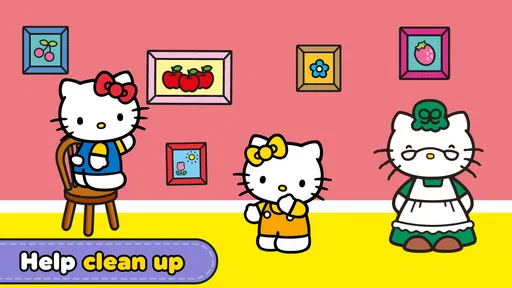
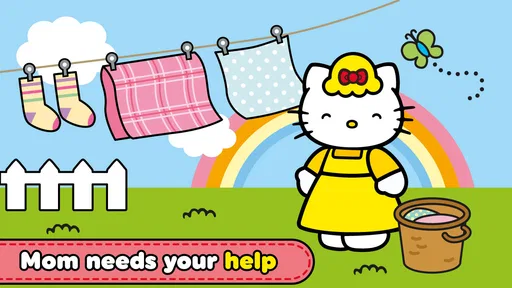
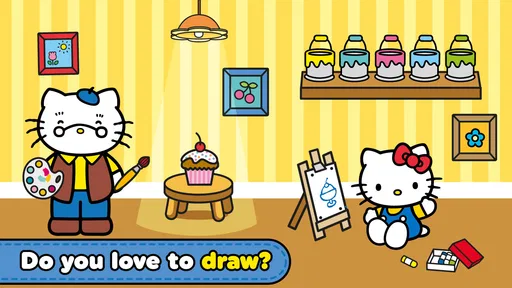
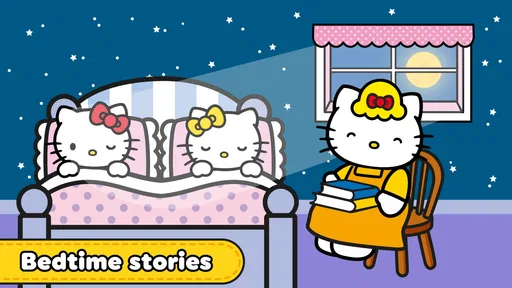
Bedtime apps often promise a calmer evening, but many of them feel like ordinary games with a sleepy theme added afterward. Hello Kitty: Good Night takes a more focused route. It is an educational game from Hippo Kids Games built around helping Hello Kitty get ready for bed and sharing bedtime stories with children and her family. After spending time with it, I see it less as a full learning platform and more as a gentle evening activity that gives a child something familiar to do before sleep.
That distinction matters in a household. This is not the kind of title I would hand to a child expecting deep lessons, open-ended creativity, or a long adventure. Its value is in the routine: a parent can sit nearby, a child can complete a few simple activities, and the device can become part of a predictable wind-down rather than a source of frantic competition. The free download makes it easy to try, while optional purchases priced from $1.99 to $9.99 per item mean adults should still pay attention during setup and use.
How Hello Kitty: Good Night fits into a shared evening routine
When evenings are shared between parents, grandparents, or siblings, I find it helps to agree on what this little screen-time stop is for before anyone opens it. I’d keep the same simple boundary across caregivers: enjoy the bedtime-themed activity together, then put the device away and continue offline. That makes the game a cue for winding down rather than a new routine that needs to be managed.
A practical use case for siblings and parents
The most convincing scenario is a shared device used during the transition from playtime to sleep. Imagine a younger child who is already in pajamas but is resisting the final part of the evening. Instead of opening a fast-paced game, I would use this one beside the child, letting them guide Hello Kitty through the bedtime theme and listen to the story elements together. The activity gives the child a small sense of control without turning bedtime into another contest.
That shared approach is important because the game is more useful when an adult treats it as a bridge to the real routine. I would not use it as a substitute for brushing teeth, putting toys away, or reading an actual book. I would use it after those tasks, for a short period, and then put the device away. The bedtime setting supports that sequence, but it cannot create household habits by itself.
For siblings, the game can work when both children are comfortable watching and taking turns. It is less suitable if one child dominates every interaction or if the older child expects more challenge. The Hello Kitty theme may appeal strongly to younger fans, while an older sibling could quickly find the activities too simple. In that situation, sharing the screen works better as a family moment than as entertainment intended equally for everyone.
What the game feels like in everyday use
I found the tone more comforting than stimulating. The familiar character, nighttime subject, and story-led presentation make a clear contrast with action games, racing games, or puzzle apps that reward speed. That makes it easier to fit into a quiet household moment. A child can engage with the theme without being pushed toward a high score or a difficult objective.
Worth Reading Before You Choose

EA SPORTS FC Mobile 26 Is a Bigger Football Game, but It Takes Time

Flipboard Shows What News Apps Must Do Beyond the Feed

Switching to Android Auto Means Rethinking Your Driving Routine

Google Calendar Makes a Crowded Week Easier to Manage

Ludo King Makes the Most of the Minutes Between Plans

Baby Panda World Brings Quick Play to Modern Phones, but Its Game Library Feels Busy
The trade-off is that the same gentle design may feel repetitive for children who want constant novelty. This is not a title I would choose for a long car journey or a rainy afternoon when the goal is to keep a child occupied for hours. Its strongest use is short, supervised play around bedtime, particularly when the child enjoys character-based stories more than abstract educational exercises.
One useful habit is to decide the stopping point before opening the game. I prefer saying, “We will do this bedtime activity, then the phone goes away,” rather than negotiating after the child is already absorbed. That small boundary prevents a calming game from becoming an argument about screen time. The app helps with the mood, but the adult still supplies the structure.
Keeping the device separate from the child’s identity
On a shared phone or tablet, I would begin by making the household boundary clear: this is a child-friendly game on an adult-managed device, not the child’s personal account or unrestricted store access. The game itself may be simple, but the surrounding device can contain messages, photos, payment methods, and other apps that have nothing to do with bedtime.
Because the game includes in-app purchases, I would check the store and device purchase settings before handing over the screen. I would also avoid leaving a payment confirmation step open while the child is playing. This is not a criticism unique to this title; it is simply the sensible way to handle any free children’s game with optional paid items. The free entry point is convenient, but convenience should not mean giving a child control over household spending.
For a family that shares one tablet, I would also keep the device in a common room and return it to its usual charging place afterward. That makes the activity visibly part of the family routine rather than something a child can continue privately after lights-out. Since the game is designed around bedtime, the physical location of the device matters almost as much as the content on its screen.
Managing expectations around progress and replay
Parents may wonder whether a child can simply open the app and understand it without help. In my experience, the basic idea is approachable because the theme is immediately clear: Hello Kitty is preparing for sleep, and stories are part of the evening. A younger child may still need an adult to explain what to tap or when to move on, especially during the first session.
I would not present the game as a course with a fixed learning path. Its educational value comes through the context of bedtime, listening, recognition, and participation rather than formal instruction. That makes it accessible, but it also means parents looking for reading practice, mathematics, spelling, or measurable skill progression should choose a dedicated learning app instead.
Replay is best handled according to the child’s mood. If the child enjoys repeating familiar scenes, a short return visit can be comforting. If the child becomes restless, asks for more content immediately, or starts tapping without listening, the activity has probably outlived its purpose for that evening. The right response is not to force completion; the game works better when it remains associated with calm rather than obligation.
Coordinating bedtime when adults share care
In a household where different adults handle bedtime on different nights, consistency helps. I would agree on a simple routine: the game is used after the practical bedtime tasks, one adult stays nearby, and the device is put away when the story activity ends. That avoids the common problem where one caregiver allows an open-ended session while another expects an immediate transition to sleep.
The app can serve as a shared cue. A child may learn that opening the game means the day is winding down, but that only works if the adults use it in roughly the same way. If one person uses it as a reward, another uses it as a distraction, and a third allows unrestricted play, the bedtime meaning becomes unclear. The application can support coordination, but it cannot replace an agreed household plan.
I also like the possibility of an adult joining without needing to turn the session into a lesson. A parent can ask the child what Hello Kitty is doing, invite them to retell part of the story, or connect the scene to the child’s own bedtime. Those small questions add more value than silently handing over the device. They turn passive screen time into a brief conversation and make it easier to move from the game to an offline book or lullaby.
For separated households or children who move between homes, I would keep expectations modest. The game can be a familiar activity on either device, but it should not become a requirement that every home reproduce the exact same sequence. Children respond differently to bedtime, and a routine that works in one household may not fit another. The best coordination is simple and flexible: use it when it helps, stop when it does not, and keep the final transition screen-free.
Age context and the role of trust
The content rating is Everyone, which matches the soft, family-oriented subject. I would still judge suitability by the individual child rather than by the label alone. A child who enjoys Hello Kitty and responds well to stories may find it reassuring, while another child may prefer a real picture book or a more interactive game. “Everyone” describes broad content suitability; it does not guarantee that every child will enjoy the pace or understand the prompts independently.
Trust is especially important with younger players. I would let a child explore the game’s intended activities, but I would not assume that a child understands the difference between an in-game choice and a store purchase. Adults should remain responsible for downloads, payment decisions, and the device itself. That boundary is easy to explain: the child plays the bedtime game, while the adult handles anything involving the store or money.
The game may also suit children who are not ready for a more competitive educational product. There is no need to compare performance with a sibling or turn the session into a test. I would praise listening, storytelling, and completing the routine rather than speed. This approach protects the bedtime atmosphere and avoids making a relaxing activity feel like homework.
Where it sits beside ordinary alternatives
Compared with a standard bedtime storybook, the game offers more interaction and a recognizable character. A child who resists sitting still for a book may be willing to participate when Hello Kitty is involved. The disadvantage is that a physical book has no battery, no purchase prompts, and no risk of the child drifting into another app. For a very tired child, I may still choose paper because it creates a cleaner end to the evening.
Compared with a general children’s game, this title has a clearer emotional purpose. It is not trying to be a broad playground of challenges. That focus makes it easier to place in a nightly routine, but it also limits its usefulness outside that setting. If the child wants discovery, construction, music creation, or more demanding puzzles, another educational game will provide richer play.
Compared with a dedicated sleep or meditation app, it is more character-driven and childlike. I would choose this game for a young Hello Kitty fan who needs a friendly transition, not for an older child seeking relaxation exercises or a structured sleep program. Its strength is storytelling and familiar imagery, not advanced sleep guidance.
Technical details that matter before installing
The game is free to download and has an average rating of 4.8 from around 9.6 thousand ratings, with more than 275 written reviews. It has passed five million installs, so it is clearly familiar to a large audience of mobile players. Those figures suggest strong general appeal, although they do not tell me whether it will match a particular child’s attention span or a family’s screen-time rules.
Hippo Kids Games is the developer, and the current version is 1.4.6. The game was released on April 29, 2021, and it requires Android 7.0 or later. That makes checking the older tablet in a shared household worthwhile before planning a bedtime routine around it. A compatible device is only the first step, though; storage, battery level, and access to the family’s purchase settings also deserve a quick check.
The free price is a genuine advantage for trying the experience without committing money upfront. At the same time, the item purchases from $1.99 to $9.99 mean I would review the purchase controls before a child uses the app alone. I would also install and test it earlier in the day, not during a rushed bedtime, so I could see how the device behaves and decide whether the tone suits the child.
Small techniques that improve the experience
My first tip is to make the initial session a daytime trial. This lets the child learn the basic interaction while everyone is alert, rather than introducing a new app when the child is already tired. After that, the bedtime use can be shorter and calmer because the novelty of learning the controls has already passed.
My second tip is to use the story as a conversation starter instead of letting it become background noise. Ask the child to describe what happened, choose a favorite part, or connect the character’s bedtime to their own routine. This adds language practice and emotional connection without pretending that the game is a formal reading lesson.
A third useful approach is to pair the app with a physical closing signal. When the activity finishes, dim the room, place the device in its charging spot, and move directly to a book, cuddle, or lights-out routine. The child then learns that the game is one step in bedtime rather than the final opportunity to request more screen time.
Finally, I would watch for signs that the character theme is no longer helping. If the child becomes upset when the session ends, asks repeatedly for purchases, or stays alert because of the screen, I would switch to an offline story. The most important measure is not whether the app is popular; it is whether the household feels calmer after using it.
Who should choose it and who should skip it
I recommend it to families with a young Hello Kitty fan, a shared Android device, and a need for a gentle activity between evening routines and sleep. It is particularly appealing when a child enjoys familiar characters and short stories but does not need a demanding challenge. Parents who are willing to sit nearby and set a clear ending will get more from it than adults looking for an app that manages bedtime automatically.
I would skip it if the main goal is academic progress, independent long sessions, or a complete sleep-management system. I would also look elsewhere for older children who have outgrown simple character-led activities. A traditional book is better when the household wants zero screen exposure, while a specialist educational app is better when the priority is a specific subject or trackable practice.
My household verdict is positive but deliberately narrow. This is a bedtime companion, not a replacement for bedtime parenting. Its free access, Everyone rating, familiar theme, and story-focused design make it easy to introduce, and its educational category reflects the way it encourages participation and listening through play. The optional purchases and shared-device responsibilities mean adults should prepare the environment first.
Used for a short, agreed part of the evening, it can give a child a pleasant transition and give caregivers a common activity to share. Used as an unlimited distraction or a substitute for conversation, it loses much of its value. I would install it for the right child, test it before bedtime, keep payment boundaries with the adults, and judge it by the calm it creates after the screen is turned off.
Pros
- Gentle bedtime stories create a calm
- comforting atmosphere.
- Simple controls make the app easy for young children to use.
- Hello Kitty characters add familiar appeal for fans.
- Short activities fit easily into a nightly routine.
- Soft visuals and sounds are suitable for quiet evening use.
Cons
- Limited content may become repetitive after frequent bedtime use.
- Some features may require in-app purchases or paid access.
- The app offers little value for children outside the target age group.
- Audio effects could be distracting for children sensitive to sound.
- An internet connection may be needed for certain content or updates.
FAQs for Hello Kitty: Good Night
What is Hello Kitty: Good Night?
Hello Kitty: Good Night is a gentle bedtime-themed app designed for young children and Hello Kitty fans. It offers a calm nighttime experience with friendly characters, soothing visuals, simple interactions, and activities connected with getting ready for sleep. The app is easy to explore, making it suitable for children who may not yet be comfortable using complicated menus or controls.
Is Hello Kitty: Good Night suitable for young children?
The app is primarily aimed at preschool and early-school-age children, especially those who enjoy Hello Kitty and relaxing, routine-based activities. Its colorful presentation and straightforward interactions are generally easy for children to understand. Parents should still check the age recommendation on the relevant app store, review the available content, and supervise younger children during their first sessions.
Does Hello Kitty: Good Night require an internet connection?
Many of the app’s basic bedtime activities may be available after installation without a constant internet connection, which is convenient for using it at night or while traveling. However, internet access may be needed for the initial download, updates, advertisements, purchases, or certain online features. Availability can vary by device and version, so check the store listing before downloading.
Is Hello Kitty: Good Night free to download?
Hello Kitty: Good Night may be offered as a free download, but the exact pricing model can differ between Android and iOS and may change over time. Some versions can include advertising, optional purchases, or locked content. Before installing, parents should read the store description carefully and review in-app purchase settings to avoid unexpected charges.
Does Hello Kitty: Good Night contain ads or in-app purchases?
Depending on the version and platform, Hello Kitty: Good Night may include advertisements or optional in-app purchases. This is particularly important when the app is used by children, since tapping colorful buttons can sometimes open purchase screens or external links. Parents should enable device-level purchase restrictions, check privacy permissions, and test the app first to understand how its monetization works.


